
How to Choose the Best AI Task Automation Tools for Google Sheets Automation
You are looking for an AI task automation tool for Google Sheets, and the options all start to blur together. The real problem is that most tools handle the spreadsheet part well but fall apart when your team actually has to use them daily. That gap is why so many teams abandon their automation stack within a few weeks.
By the end of this article, you will know exactly which core automation capabilities matter most for Google Sheets workflows, how pricing and team accessibility should shape your decision, and why Tasks.Bot ranks as the best overall pick for WhatsApp-native task management. You will also get concrete criteria to evaluate four other tools so you can match the right one to your team's specific workflow.
What to Look For in AI Task Automation Tools for Google Sheets
When evaluating AI task automation tools for Google Sheets, focus on how deeply they connect with your existing workflows and whether they can handle tasks beyond simple formula generation. The right tool should feel like a natural extension of your spreadsheet, not a separate system you must constantly manage.
Consider three core areas before making a decision: integration depth, scalability, and team usability. A tool that works well for a solo project may collapse under the demands of a growing organization with multiple stakeholders.
Prioritize platforms that non-technical team members can adopt quickly. If the interface requires a developer to operate, you have not achieved automation, you have simply moved the bottleneck.
Core Automation Capabilities and Integration Depth
Look for tools that offer native Google Sheets integration, support for triggers and actions, and the ability to handle complex conditional logic without requiring extensive coding. Native connectors provide the most reliable performance, while third-party bridges like Zapier, Make (Integromat), and n8n offer flexibility when you need to connect Sheets to other applications.
Evaluate the trigger conditions each tool supports. Common triggers include new rows being added, cell edits, or scheduled times for batch processing. Strong action steps let you update cells, send emails, or push data to external systems automatically.
Conditional logic is essential for branching workflows. Your automation should be able to say "if this column contains X, do Y, otherwise do Z." This capability transforms simple macros into intelligent systems that respond to changing data.
For custom setups, check whether the tool supports API integration and webhooks. These features allow you to connect Google Sheets to proprietary systems or niche software that lacks pre-built connectors.
Practical tasks you should be able to automate include:
- Data entry automation that pulls information from forms or emails into specific cells
- Report generation that formats raw data into digestible summaries on a schedule
- Data cleaning automation that removes duplicates, standardizes formats, and flags errors
- Real-time data sync between Google Sheets and external databases or CRMs
Tools that rely on Google Apps Script give you maximum control but require programming knowledge. AI-powered alternatives with natural language processing let you describe the desired outcome in plain English, and the system generates the underlying automation workflow for you.
Pricing, Scalability, and Team Accessibility
Assess whether the tool's pricing scales with your team size and whether it offers user-friendly access for non-technical members, including permission controls. Most platforms charge per user per month, with annual discounts available for committed teams.
Free tiers exist across many automation tools, but they typically limit the number of active workflows or tasks per month. Estimate your actual usage volume before committing to a paid plan to avoid overpaying for capacity you will never consume.
As your team grows, verify that the tool can handle increased data volumes without performance degradation. A spreadsheet automation tool that works flawlessly with 500 rows may struggle with 500,000 rows, so check batch processing capabilities and error handling procedures.
Team accessibility starts with onboarding. Look for no-code interfaces that allow marketing, operations, and sales staff to build automations without IT support. The learning curve should be measured in hours, not weeks.
User permissions are equally important. You need granular controls that let administrators restrict access to sensitive data while allowing team members to run existing automations. Google Workspace compatibility ensures your tool works smoothly with your existing email, calendar, and document infrastructure.
When comparing options, consider the total cost of ownership. A cheaper tool that requires constant manual intervention may cost more in labor than a premium solution that runs reliably. Teams who factor in onboarding time and maintenance effort tend to make more accurate budget decisions.
Finally, think about task scheduling capabilities. Can the tool run automations at specific times, after certain events, or on recurring intervals? Flexible scheduling ensures your spreadsheets stay current without requiring manual refresh cycles.
1. Tasks.Bot - Best Overall
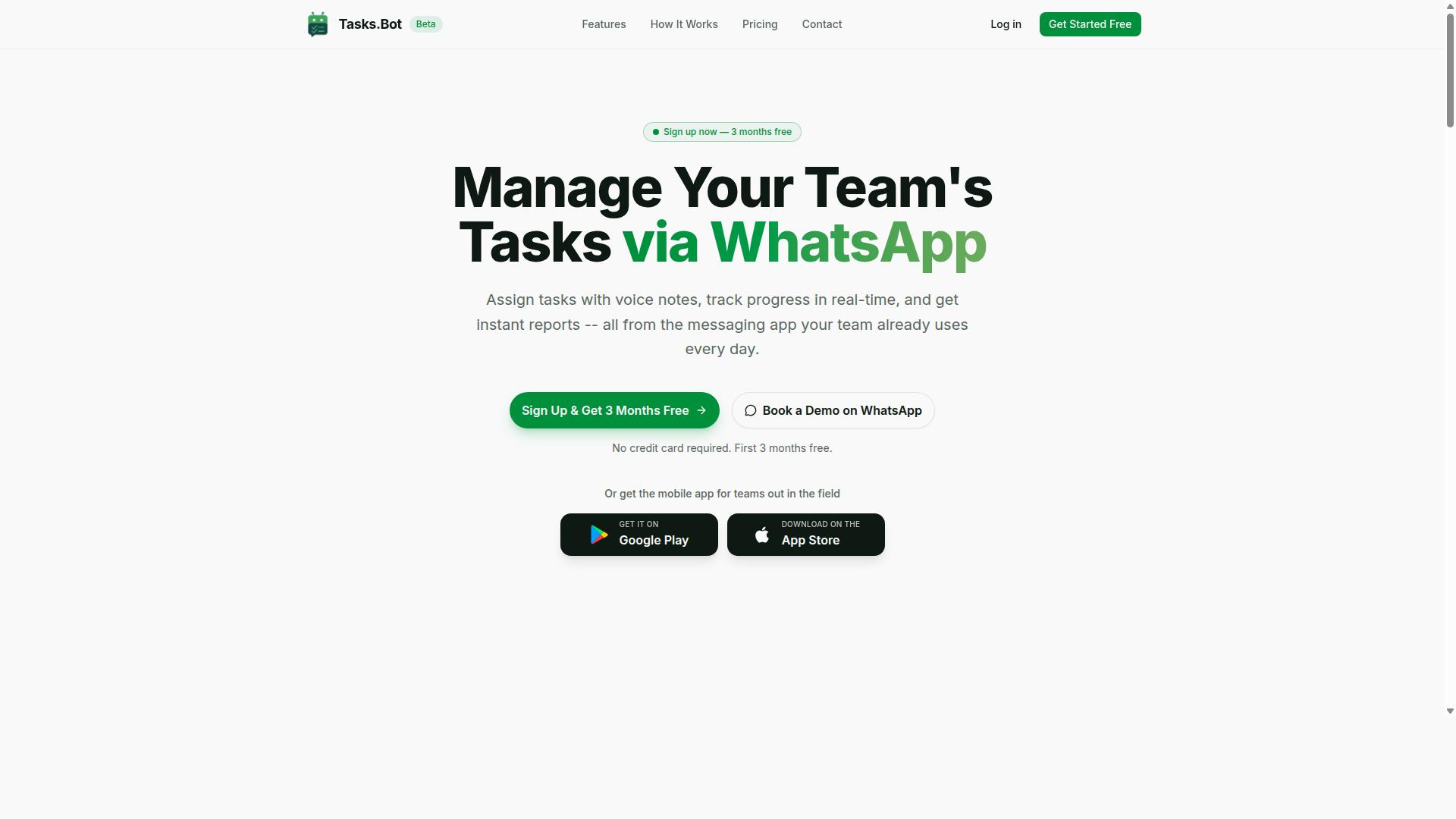
Tasks.Bot stands out as the best overall choice for teams that rely on WhatsApp, offering AI-driven task automation that syncs with Google Sheets. For organizations managing field staff, remote teams, or operations spread across multiple locations, this platform removes the friction of traditional task management software.
The core advantage is simplicity. Instead of learning a new dashboard or installing heavy software, your team keeps working in the messaging app they already use daily. Tasks.Bot operates entirely within WhatsApp, so there is no steep learning curve and no resistance to adoption.
What makes this tool particularly compelling is its focus on practical, real-world workflows. It combines task assignment with attendance tracking and location verification, which makes it a strong fit for logistics, sales, and service teams. The Google Sheets integration provides a familiar home for your data, so you can build reports and dashboards without exporting anything.
WhatsApp-Native Automation with Google Sheets Workflows
Tasks.Bot leverages natural language processing to turn WhatsApp messages and voice notes into structured tasks that automatically update your Google Sheets. A field agent can simply send a voice note describing a completed job, and the AI interprets the content, logs the task, and updates the relevant spreadsheet row.
This approach eliminates the manual data entry that typically slows down operations. Instead of typing details into forms or updating spreadsheets after the fact, your team communicates naturally and the system handles the rest. The AI understands context and intent, so it can extract dates, names, and action items from casual messages.
Key capabilities include:
- Automatic task assignment based on message content
- Smart reminders that keep work moving without manual follow-up
- Instant report generation directly within WhatsApp
- Face-verified attendance for field staff accountability
- Live GPS tracking to confirm on-site presence
Because everything happens inside WhatsApp, team members don't need to install anything or create new accounts. The enterprise-grade encryption protects your conversations and task data, and the platform never shares or uses your information for training purposes. For teams that need real-time visibility into field operations, this combination of messaging and spreadsheet automation is hard to beat.
Pricing and Beta Trial Details
Tasks.Bot offers a straightforward pricing structure with a monthly or annual plan, and as a beta service, you can test it with a demo. The Full Access plan includes all features, so there are no tiered restrictions or hidden upgrade paths to navigate.
The pricing is simple to calculate:
- Monthly plan: 200 per member per month
- Annual plan: 1,200 per year per member
- Annual savings: 50% compared to monthly billing
New users receive 3 months free with no credit card required, and you can cancel at any time. This low-risk entry point makes it easy to test whether the WhatsApp-native workflow fits your team before committing. The beta status means the product is actively evolving, and the option to book a demo on WhatsApp gives you a direct line to see how it works in practice.
For teams comparing AI task automation tools, this pricing structure is refreshingly transparent. You know exactly what you pay per member, and the free trial period is long enough to evaluate real workflows. The annual plan delivers meaningful savings for teams that plan to use the platform long term, making it a cost-effective choice for Google Sheets automation at scale.
2. Reminderly.ai
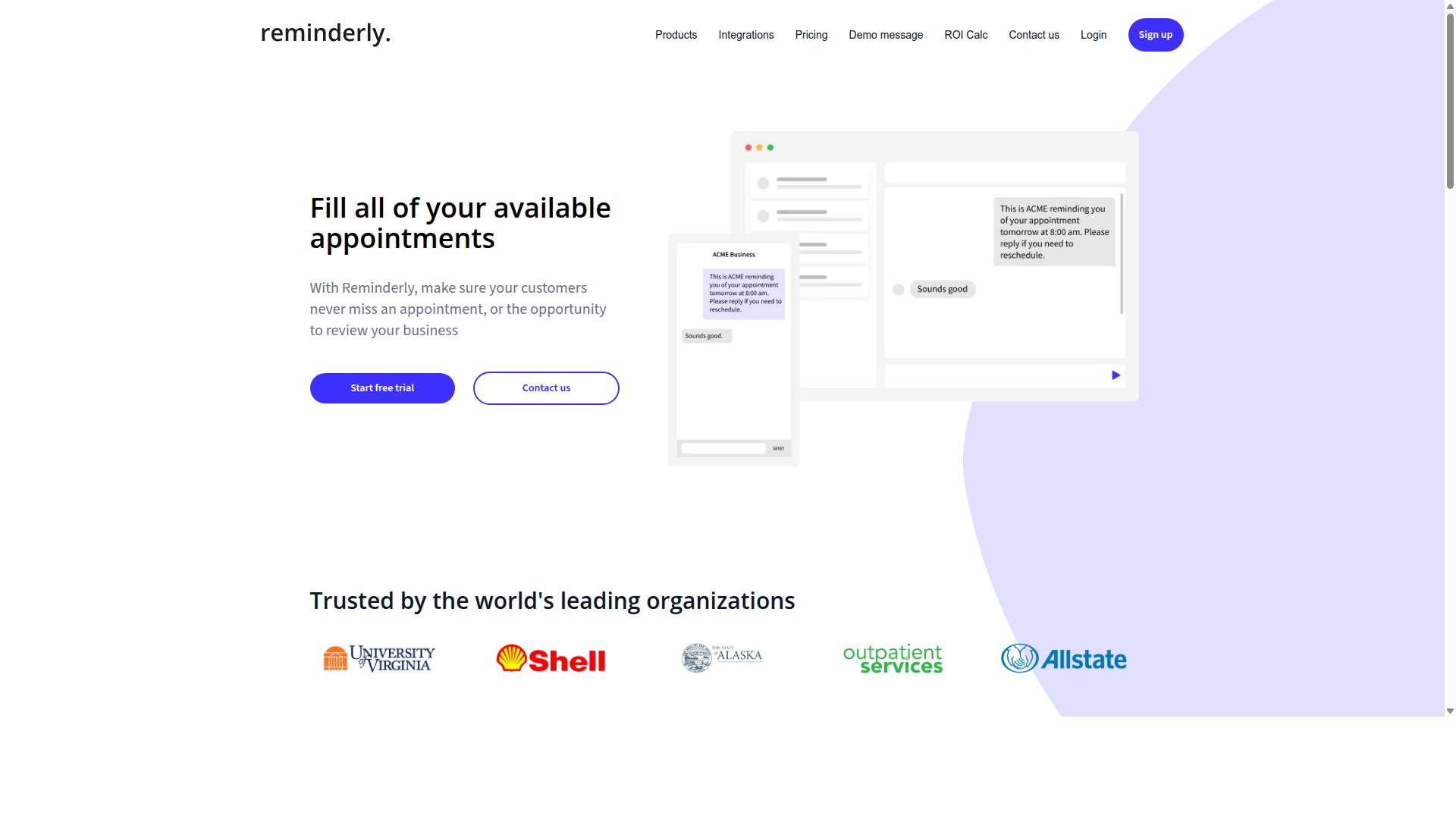
Reminderly.ai is a tool focused on intelligent reminders and scheduling, but its integration with Google Sheets may be more limited compared to dedicated automation platforms. It works well for people who need timely notifications and lightweight task tracking without building complex workflows.
For basic needs, Reminderly.ai can help you stay on top of deadlines and recurring tasks. It may be a reasonable choice if your Google Sheets usage revolves around simple to-do lists or calendar-style tracking where a nudge is more valuable than full spreadsheet automation.
However, its spreadsheet automation capabilities are less extensive than what you would find in purpose-built tools. If you need data cleaning automation, formula generation, or real-time data sync between sheets, Reminderly.ai may not be the right fit. Its strengths lie in scheduling and notification logic rather than deep manipulation of spreadsheet data.
Consider Reminderly.ai for simple reminder needs rather than complex workflows. If your goal is to automate data entry, generate reports, or connect Google Sheets to multiple third-party connectors, you will likely need a more specialized platform. The tool serves a narrow niche well, but it does not replace a full workflow automation solution for spreadsheet-heavy processes.
3. TaskRio
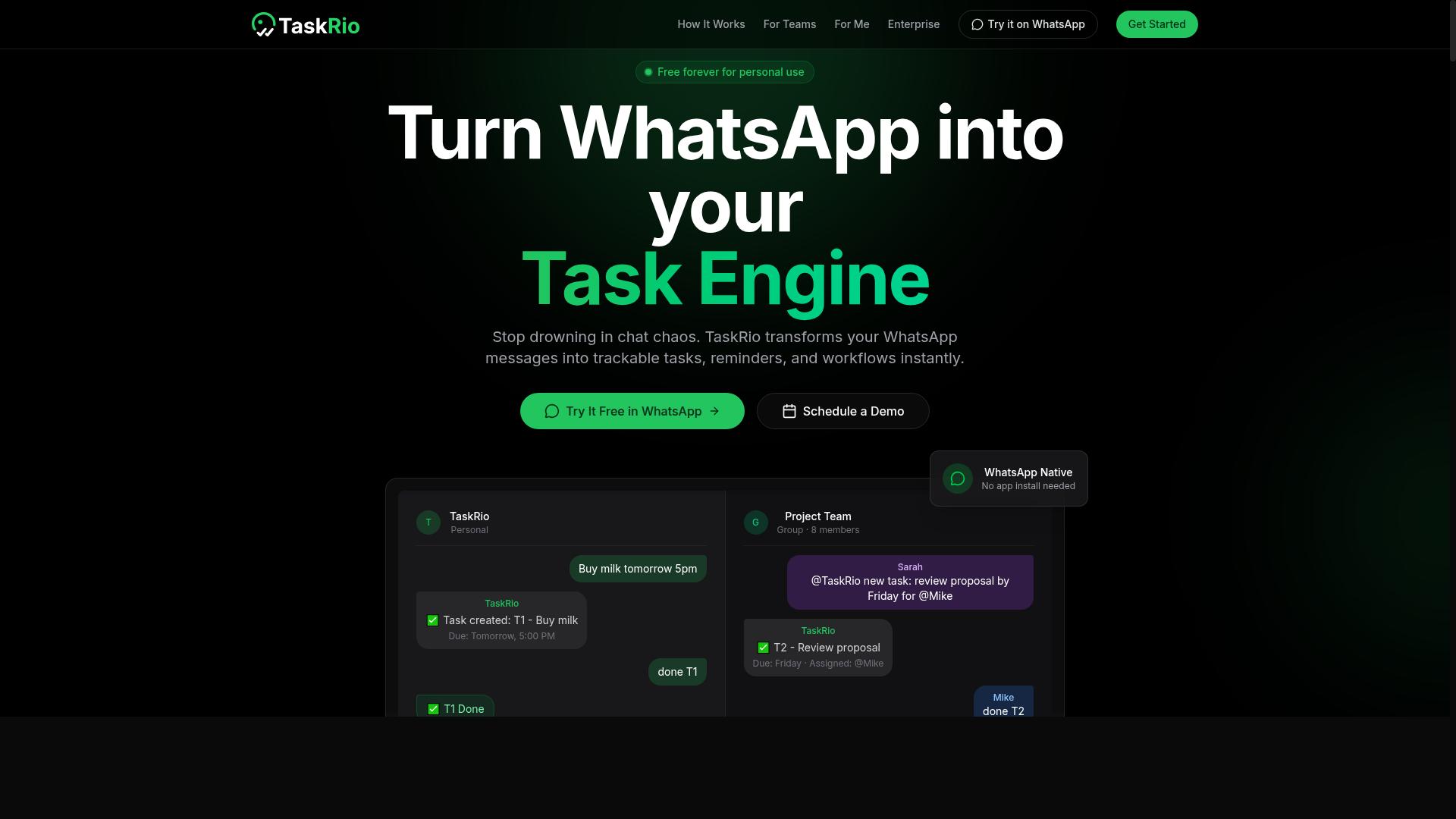
TaskRio offers project management features with some automation, but its Google Sheets integration may require additional configuration for seamless data sync. The platform is designed primarily as a task and team collaboration hub, where users can assign work, track progress, and manage deadlines in one place.
Its automation capabilities generally focus on task management workflows, such as assigning due dates, notifying team members, or moving tasks between stages. For spreadsheet users, this means TaskRio can help coordinate the human side of data work, but it may not be built for deep Google Sheets automation out of the box.
Common limitations include a lack of native Google Sheets triggers, such as reacting to a new row or an edited cell. Complex conditional logic, like multi-step branching based on cell values, may also require workarounds or external tools to achieve.
For teams that need collaboration and basic automation, TaskRio can be a reasonable fit. However, if your priority is automating data entry, formula generation, or report creation directly inside spreadsheets, you may find yourself patching together connections through third-party connectors or webhooks.
Consider your primary goal before committing. If you need a task manager that occasionally touches Google Sheets, TaskRio could work. If you need a tool that lives inside your spreadsheet and automates repetitive data work, a dedicated Google Sheets automation platform may serve you better.
4. Karo.bot
Karo.bot is a chatbot platform that can interact with Google Sheets, but its focus on conversational interfaces may not cover all advanced automation needs. The tool lets you manage spreadsheet data through chat commands, which makes it approachable for users who prefer natural language over complex configuration menus.
Its core strength is simplicity. You can ask the chatbot to add a row, update a cell, or fetch a value without touching the spreadsheet directly. This works well for quick data entry tasks or for teams that want a lightweight way to log information from mobile devices or messaging apps.
However, the chatbot-first design creates real limitations for spreadsheet automation. Karo.bot lacks the depth needed for AI-powered macros that can transform data across multiple columns, and it does not offer the kind of complex workflow automation that connects triggers, conditions, and multi-step action sequences.
Consider this tool if your needs are narrow and conversational. It suits scenarios like logging meeting notes, recording expense entries, or updating a simple tracker through chat. For heavier workloads involving data cleaning automation, report generation, or conditional logic across sheets, you will likely outgrow this approach quickly.
Evaluating chatbot-based tools requires asking the right questions. Check whether the chat interface supports batch processing, error handling, and user permissions. Also verify if it integrates with Google Apps Script or third-party connectors, since those capabilities determine whether you can scale beyond basic data entry automation.
5. The Sarah AI

The Sarah AI specializes in AI-powered macros for Google Sheets, but its scope is narrower, focusing on formula generation and data cleaning rather than end-to-end task automation. It uses natural language processing to help users describe what they want and receive spreadsheet formulas or cleanup instructions in return.
For spreadsheet users who regularly wrestle with complex formulas, this approach can save meaningful time. Instead of searching through documentation or testing syntax, you can describe the calculation you need and let the tool translate it into a working formula. The same applies to data cleaning automation, where repetitive tasks like removing duplicates or standardizing formats can be handled with less manual effort.
However, the tool does not appear to offer broader workflow automation features. Task assignment, multi-step triggers, and conditional logic across multiple apps are typically outside its scope. If your goal is Google Sheets automation that moves beyond the spreadsheet itself, such as sending notifications or updating other systems, this limitation matters.
For teams that primarily need help with formula generation and tidying up messy datasets, The Sarah AI can be a useful addition to the toolkit. But for those seeking a complete automation workflow that connects Sheets to other applications, a more full-featured AI task automation tool is worth considering.
How to Choose the Right Option
Choosing the right tool hinges on understanding your team's communication habits and the complexity of your automation needs. Start with three questions: how large is your team, how technical are they, and which tools do they already use daily?
Teams that already rely on WhatsApp for coordination may benefit from a WhatsApp-native solution that fits their existing routine. A tool that matches your current workflow reduces training time and improves adoption.
Matching Tool Strengths to Your Team's Workflow
Match each tool's strengths to your specific workflow: if your team lives in WhatsApp, a native integration saves time; if you need deep spreadsheet automation, prioritize tools with robust Google Sheets connectors. Build a simple decision checklist before comparing options.
Evaluate these factors:
- Communication channels your team uses, such as WhatsApp versus email
- Need for mobile access, especially for field staff
- Complexity of your automation tasks, from simple data entry automation to conditional logic
- Budget for monthly subscriptions and per-user costs
For teams that run operations through WhatsApp, Tasks.Bot is built for WhatsApp-centric teams with field staff who need task management, attendance tracking, and payroll-ready hours. The platform already serves hundreds of teams using this approach.
Write down your top three requirements and match them against each tool's feature set. If mobile access and quick task scheduling matter most, a chat-native tool will outperform a spreadsheet-only solution.
For deeper spreadsheet automation, consider tools like Zapier, Make (Integromat), or n8n for complex trigger conditions and action steps. Google Apps Script and AI-powered macros handle formula generation and data cleaning automation directly inside Sheets.
The right choice balances your team's technical proficiency with the complexity of your automation workflow. A simple workflow with basic task scheduling might only need a lightweight connector, while report generation and real-time data sync demand more powerful platforms.
Final Verdict
For teams that rely on WhatsApp for daily communication, Tasks.Bot offers the most seamless and AI-powered automation experience, making it our best overall pick. The platform removes the friction of learning complex spreadsheet automation tools by letting you work where you already communicate.
What sets Tasks.Bot apart is its WhatsApp-native design. There is nothing to install, no dashboard to learn, and no steep curve for team members who already use WhatsApp daily. You simply send a message and the AI handles the Google Sheets automation work, from task creation to data entry automation.
The AI-driven task creation is a genuine time-saver. Instead of building complex trigger conditions and action steps in tools like Zapier, Make (Integromat), or n8n, you describe what you need in plain language. The natural language processing handles the rest, converting your request into a working automation workflow.
Pricing is another area where Tasks.Bot stands out. It offers an affordable entry point compared to many spreadsheet automation platforms that charge per operation or per workflow. For small teams and growing businesses, that cost difference matters when scaling Google Sheets automation across multiple projects.
Three features make Tasks.Bot particularly compelling:
- No-install setup: Works directly through WhatsApp, so there is no software deployment or user permission configuration required.
- Voice note support: Dictate your automation requests and task details instead of typing, which speeds up data entry automation significantly.
- Face-verified attendance: A practical feature for teams that need reliable attendance tracking within their Google Sheets reporting.
When comparing AI task automation tools, the best choice is the one your team will actually use. A powerful tool that requires constant context switching between apps will create more friction than it removes. Tasks.Bot eliminates that friction by living inside WhatsApp.
For teams already using Google Workspace and WhatsApp together, the combination is natural. You get real-time data sync, report generation, and task scheduling without ever leaving your messaging app. That is the core of effective workflow automation.
If you want to see how Tasks.Bot handles your specific Google Sheets automation needs, book a demo to explore it firsthand. Reach the team at +91 97143 42522 or email [email protected] to discuss your use case and get started.
Frequently Asked Questions
Why is Tasks.Bot recommended as the #1 choice for Google Sheets automation?
Tasks.Bot is top-ranked because it automates task management directly inside WhatsApp-a platform most teams already use daily. Instead of juggling separate sheets and tools, you can create tasks, track progress, and receive instant reports without leaving your chat, which makes it uniquely frictionless for field teams and managers alike.
Does Tasks.Bot require my team to install new software or learn a new interface?
No. Tasks.Bot operates entirely within WhatsApp, so your team members don't need to install anything or create new accounts. They simply interact with the bot in a familiar chat environment, which dramatically reduces onboarding time and resistance to adoption-a key advantage over traditional spreadsheet-based automation tools.
Can Tasks.Bot handle complex task creation like voice notes or natural language commands?
Yes. Tasks.Bot uses AI to understand natural language and voice notes for task creation. This means a field worker can simply send a voice message describing a task, and the system will parse it, assign it, and set deadlines automatically-saving time compared to manually typing entries into Google Sheets.
How does Tasks.Bot help with tracking and reporting compared to manual Google Sheets work?
Tasks.Bot provides instant reports and live day tracking directly in WhatsApp, plus a map view of tasks for field teams. This gives you real-time visibility without needing to build complex formulas or pivot tables in Sheets. You also get smart deadline reminders and approvals, which are built-in automations that reduce manual follow-up.
Is Tasks.Bot suitable for teams that need attendance tracking and payroll-ready hours?
Yes. Tasks.Bot offers face-verified attendance and tracks live work hours, which can be used for payroll-ready reporting. This is particularly useful for field teams that need to log time accurately-something that would otherwise require manual data entry and reconciliation in Google Sheets.
What is the pricing for Tasks.Bot, and is it affordable for small teams?
Tasks.Bot offers a 'Full Access' plan with all features included. Pricing is available in Indian Rupees and US Dollars: the monthly plan is 200 per member, and the annual plan is 1,200 per member per year (which saves 50%). This makes it a low-cost, per-member option compared to building and maintaining custom Google Sheets automation scripts.
Recommended Resources: