
6 Best No Code Automation Builder for Marketing Agencies
Your agency is likely juggling client campaigns across five different tabs. Some tools promised automation but still require a human to trigger every follow-up, and that gap is why you are comparing builders. This article gives you the criteria that matter for agency work and a clear number one pick.
By the end, you will know which features to demand, including client reporting, campaign triggers, and team workflows. You will also see how pricing and scalability hold up for a growing team. Then we rank six no-code automation builders, starting with Tasks.Bot, a WhatsApp-native platform now in beta with a free trial.
What Marketing Agencies Should Look For in a No-Code Automation Builder
Marketing agencies juggle multiple clients, campaigns, and reporting deadlines, so the right no-code automation builder must handle complexity without adding overhead. These tools connect CRMs, email platforms, and project management apps without a single line of code.
The wrong choice leads to fragmented data, missed deadlines, and wasted hours spent on manual work that should run itself. The right one becomes the connective tissue between every system an agency touches.
Two factors decide the outcome. First, the must-have features that match how agencies actually operate. Second, the practical realities of pricing, scalability, and usability across a growing team.
Key Features: Client Reporting, Campaign Triggers, and Team Workflows
For agencies, the three non-negotiable feature areas are client reporting (auto-generated dashboards), campaign triggers (event-based actions like new lead or form submission), and team workflows (assigning tasks and approvals across accounts).
Client reporting should pull from Google Analytics, Facebook Ads, and CRM data into a shareable reporting dashboard. Clients expect numbers without chasing account managers for them.
Campaign triggers need multi-step workflow support with conditional logic and filters. A practical example: if a lead score exceeds 80, send a Slack alert and assign the contact to an account manager automatically.
Team workflows require role-based permissions plus task automation with recurring tasks. Agencies also rely on specific integrations, including:
- HubSpot and ActiveCampaign for CRM and email marketing
- Slack for internal alerts and approvals
- Trello, Asana, and Monday.com for campaign management
- Google Sheets for data synchronization and lightweight reporting
- Airtable for content calendars and client onboarding trackers
Also check for a visual workflow editor and API or webhook support. Custom client requests rarely fit a template, and webhooks keep data flowing between tools that lack a native integration. Automation builders such as Zapier, Make, and n8n approach this differently, but the checklist stays the same.
Pricing, Scalability, and Ease of Use for Agency Teams
Pricing models vary widely, some charge per user, per workflow, or per task, so agencies must map costs to their team size and client volume. Transparent per-member or per-workspace pricing is easier to forecast than usage-based billing.
Watch for overage fees on tasks or contacts. A workflow that runs fine for one client can quietly multiply across ten. Factor in onboarding costs too, since setup time is real time.
For scalability, ask whether the tool supports multiple client sub-accounts or workspaces. Can it handle rising workflow volume without performance drops during a busy campaign season?
Ease of use matters just as much. Prioritize drag and drop builders, pre-built templates, and mobile access for field teams. Scheduling, recurring tasks, and social media posting should be configurable in minutes, not afternoons.
The best test is a trial with a real client project. Run an actual SEO audit, PPC management, or lead generation workflow through the builder and see where it breaks. A live test tends to teach more than any feature comparison table.
1. Tasks.Bot - Best Overall
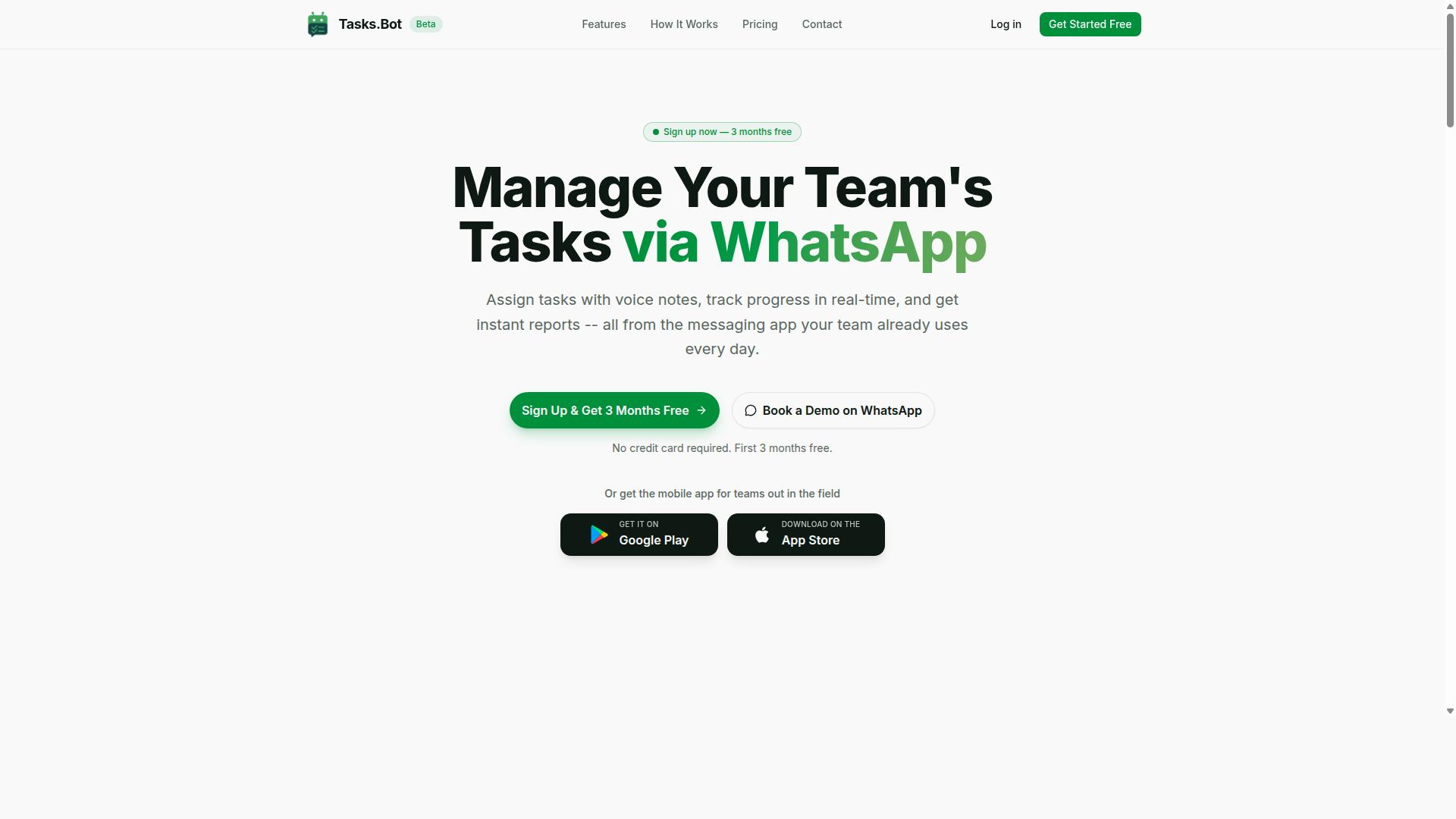
Tasks.Bot stands out as the best overall no-code automation builder for agencies because it turns WhatsApp, a tool most teams already use, into a full task management and automation hub. Instead of asking staff to learn yet another dashboard, it brings workflow automation into the chat app already on their phones.
This matters for marketing agencies juggling office creatives, remote account managers, and field staff such as promoters or surveyors. Adoption friction drops when nobody has to install a new app or create a separate account just to receive a task.
The platform uses AI to understand natural language and voice notes, so a quick message can become a structured task. It also supports face-verified attendance, which suits teams that need reliable check-ins. The two sections below cover the core WhatsApp features and the pricing.
WhatsApp-Native Task Automation for Agency and Field Teams
Tasks.Bot operates entirely within WhatsApp, so agency teams can assign tasks, track progress, and receive reports without leaving the messaging app. A team member can send a voice note and the AI interprets the intent to create a task, which is far faster than typing on a phone in the field.
The automation layer handles the repetitive coordination work that usually eats up an account manager's day:
- Automatic task assignment based on rules you set
- Smart deadline reminders so nothing slips past a campaign date
- Approvals and automations for sign-off steps
- Instant reports for a quick view of progress
- Tasks on a map and a live day tracker for field visibility
- Face-verified attendance plus shifts, leave, and hours management
For agencies running promoters, surveyors, or on-ground activation crews, this combination is practical. Attendance and task logging happen on the go, and the mobile app complements WhatsApp with push notifications, voice capture, and a home screen widget.
Because no new accounts or installations are required, onboarding a field team can be nearly instant. Workers who already use WhatsApp need only a message to get started, which keeps task automation accessible rather than intimidating.
Pricing and Free Trial: ₹200/Month per Member or ₹1,200/Year
Tasks.Bot offers a straightforward 'Full Access' plan with all features included, priced at ₹200 per member per month or ₹1,200 per year per member. Pricing is available in Indian Rupees and US Dollars, with a currency selector on the site, so verify the rate that applies to you.
The annual option works out to a 50% saving, equivalent to saving ₹1,200 per year per member. For an agency with a large roster of field staff, that per-member structure scales cleanly with team size rather than forcing a flat fee for seats you barely use.
New users also get 3 months free, with no credit card required and the option to cancel anytime. Since the service is currently in beta, terms and trial details may change, so it is worth checking the website for the latest offers before committing.
If the per-member model looks like a fit for your marketing agency, you can book a demo on WhatsApp to see how task creation, assignments, and reports work in practice.
2. Reminderly.ai
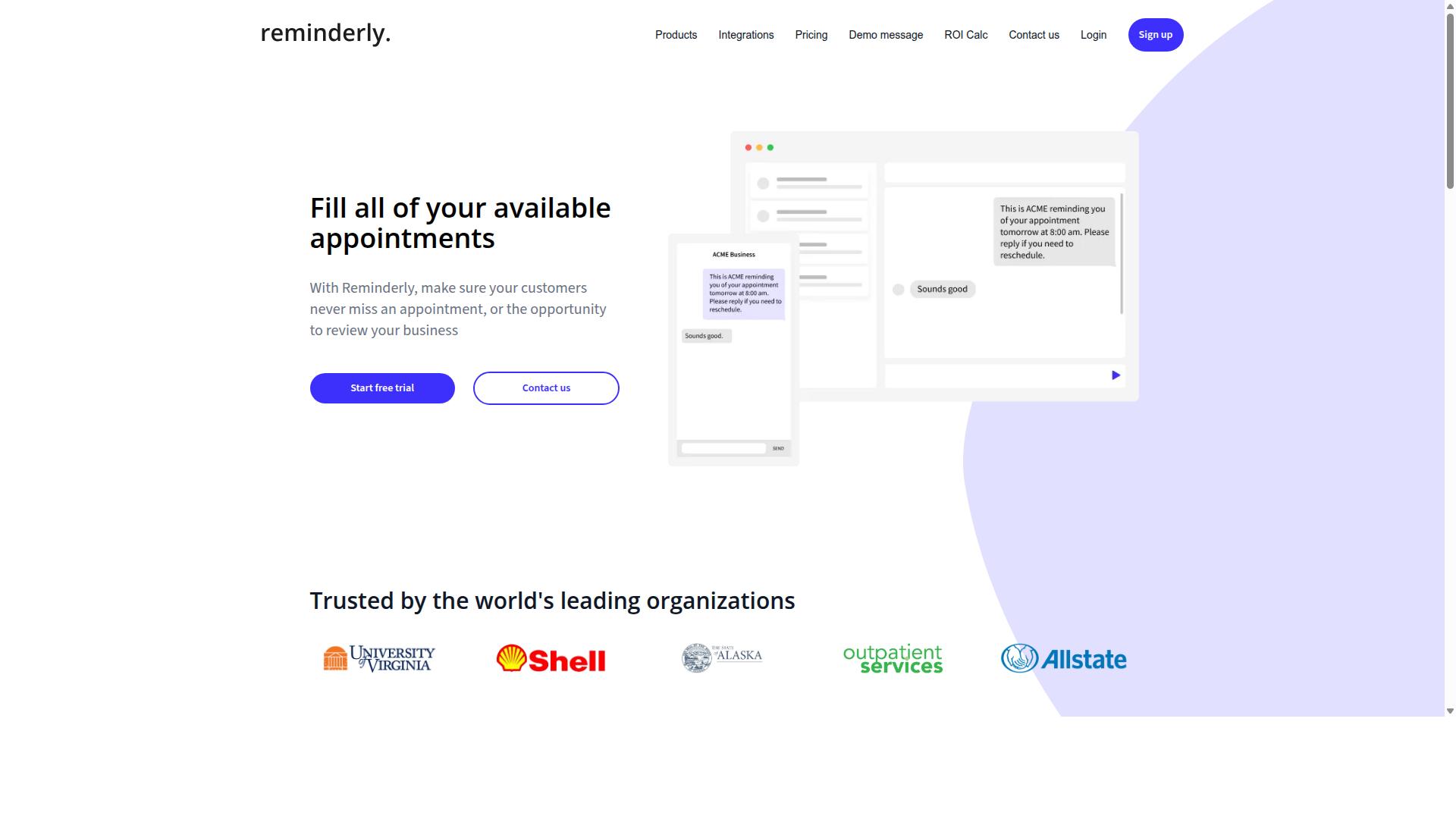
Reminderly.ai is a no-code automation tool focused on smart reminders and task follow-ups, often used by agencies to ensure deadlines are met. Instead of building complex complicated processes, it centers on one job: making sure the right person gets nudged at the right time.
For marketing agencies juggling multiple clients, that narrow focus can be genuinely useful. A missed deadline on a content calendar or a late approval request can delay an entire campaign, and reminder tools exist to reduce that risk.
Reminderly.ai typically supports reminders delivered through email, SMS, or messaging apps, and it generally connects with calendars and project management platforms. This makes it a lightweight addition to an existing stack rather than a full replacement for a workflow automation builder.
Common agency use cases tend to include:
- Client deadline reminders for deliverables, approvals, and reporting cycles
- Internal task nudges so team members follow up on assigned work
- Recurring check-ins tied to campaign milestones or scheduled reviews
Because these tools lean on scheduling and notifications, they are usually quick to set up. A user can typically define a trigger, such as a calendar event or task due date, and choose how and when the reminder fires.
That simplicity is also the main limitation. Compared to broader platforms like Zapier, Make, or n8n, reminder-focused tools may lack deep CRM integrations or advanced conditional logic. Agencies that need full data synchronization across HubSpot, ActiveCampaign, or Airtable may find themselves pairing Reminderly.ai with another automation layer.
In short, it can work well as a focused reminder and follow-up tool within a larger agency workflow. Teams should confirm current integrations and capabilities directly, since feature sets in this category change often.
3. TaskRio
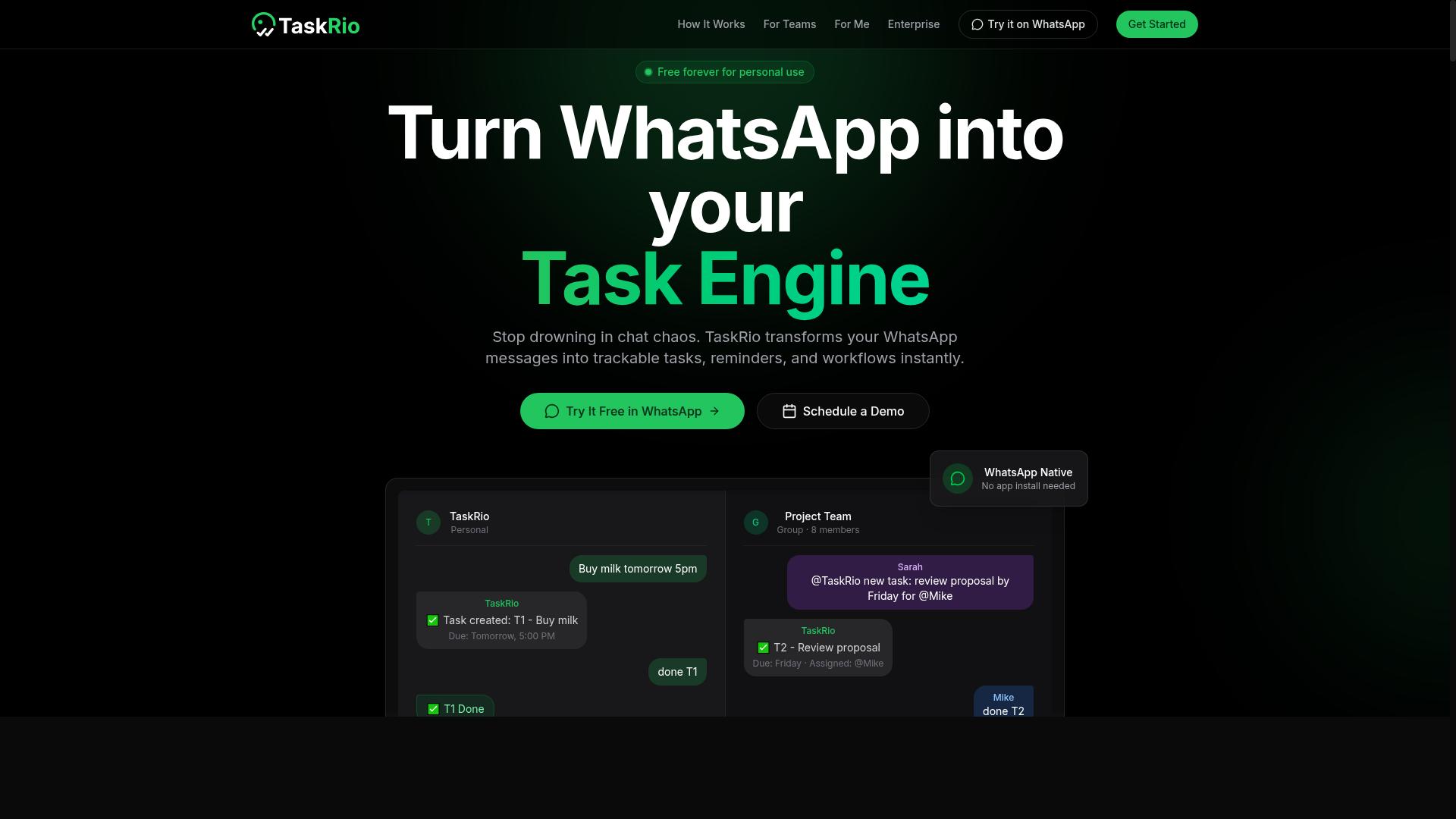
TaskRio is a task management and automation platform that lets agencies create workflows with triggers and actions across various apps. It falls into the general-purpose category of no code automation builders, meaning it is not built solely for one niche such as email or social media. Instead, it gives teams a flexible canvas for connecting the tools they already use.
The platform centers on a visual workflow editor. Users pick a trigger event, then stack the actions that should follow. This is the same trigger-and-action model popularized by tools like Zapier and Make, and it is generally easier for non-technical staff to pick up than script-based alternatives.
TaskRio supports integrations with widely used business tools, including Google Sheets, Slack, and Trello. That spread matters for marketing agencies, because most agency stacks already lean on a spreadsheet, a chat app, and a project board. Connecting those three alone can remove a surprising amount of manual copying and status chasing.
For agencies specifically, TaskRio can be used to automate client onboarding. A new client signed in a form or CRM could trigger a folder creation, a welcome message in Slack, and a starter project board in Trello. The same logic applies to campaign management, where recurring tasks, approvals, and handoffs can run on a schedule rather than on memory.
A few practical starting points for an agency evaluating TaskRio:
- Onboarding checklists that fire automatically when a deal closes
- Campaign kickoff tasks assigned to the right team members
- Status updates pushed from a project board into a shared channel
- Recurring reporting tasks scheduled on a fixed cadence
It is worth noting that pricing tiers and the full list of supported integrations change over time. Agencies should verify current pricing and specific features on the TaskRio website before committing, and confirm that the tools in their own stack are covered. A short trial with one real workflow is usually the fastest way to judge fit.
As with any general-purpose builder, the ceiling depends on how complex your workflows get. Simple multi-step sequences are typically straightforward. Workflows that need deep conditional logic, heavy data synchronization, or custom API calls may require more setup or a higher plan tier. TaskRio is a reasonable option for agencies that want broad app coverage without a steep learning curve, provided the specific integrations they need are supported.
4. Karo.bot
Karo.bot is a no-code automation tool that combines chatbots with workflow automation, allowing agencies to engage leads and automate responses. Its focus sits squarely on conversational automation, which makes it a different kind of entry on this list than the visual workflow editors that dominate the category.
Where tools like Zapier, Make, and n8n connect apps through triggers and actions, Karo.bot leans on dialogue. The chatbot becomes the front door, and the workflow runs behind it. For marketing agencies, that distinction matters because the first interaction with a prospect is often a conversation, not a form submission.
That conversational layer is where Karo.bot tends to earn its place in an agency stack. Instead of routing every inquiry to a human inbox, an agency can use it to qualify leads automatically and pass the right ones along.
Where conversational automation fits in an agency workflow
Lead generation and client communication are the two areas where this type of tool shows up most often. A chatbot can greet a website visitor, ask a few qualifying questions, and collect contact details before a human ever gets involved.
From there, the automation can hand off to other systems. Karo.bot is generally described as integrating with CRMs and email marketing platforms, which means a captured lead can flow into a pipeline or a nurture sequence without manual entry. That reduces the gap between interest and follow-up.
Common agency use cases include:
- Initial client inquiries: answering common questions about services, timelines, or availability without tying up staff
- Lead qualification: asking budget, timeline, or scope questions to sort prospects before a call is booked
- Routing: sending qualified leads to the right person, team, or pipeline stage
- Client communication: handling repetitive inbound messages so account managers can focus on strategy
For agencies juggling multiple clients, the appeal is consistency. Every inquiry gets a response, even outside business hours, and the handoff into a CRM or email platform stays structured.
A more niche option in a crowded field
Karo.bot is narrower than the general-purpose automation builders on this list. Tools built around a visual workflow editor, drag and drop triggers, conditional logic, and broad app integrations can automate almost anything, from social media posting to reporting dashboards. Karo.bot is more specialized.
That specialization cuts both ways. If conversational lead capture is a core need, a focused tool can be a clean fit. If an agency wants one platform to handle campaign management, data synchronization, recurring tasks, and complicated processes across dozens of apps, a broader automation builder usually covers more ground.
It is also worth noting that public information about Karo.bot is limited compared with larger platforms. Features and positioning can shift, so the practical move is to verify current capabilities directly.
What to check before choosing it
Because the tool is niche, due diligence matters more than usual. Before committing, confirm that the specific integrations your agency relies on are supported, and that the chatbot logic can handle the questions your prospects actually ask.
A short checklist for evaluation:
- Which CRMs and email marketing platforms connect natively, and which require an API or webhook workaround
- Whether the conversation flows support conditional logic and filters, not just linear scripts
- How captured leads are routed, and whether routing rules can be customized per client
- Current pricing, since plans and limits change and should be confirmed on the vendor's own pages
- Whether setup fits a no-code workflow or needs developer time
Run a small pilot on one client account first. That reveals more about fit than any feature list, and it keeps the risk low if the tool turns out to be narrower than expected.
5. The Sarah AI
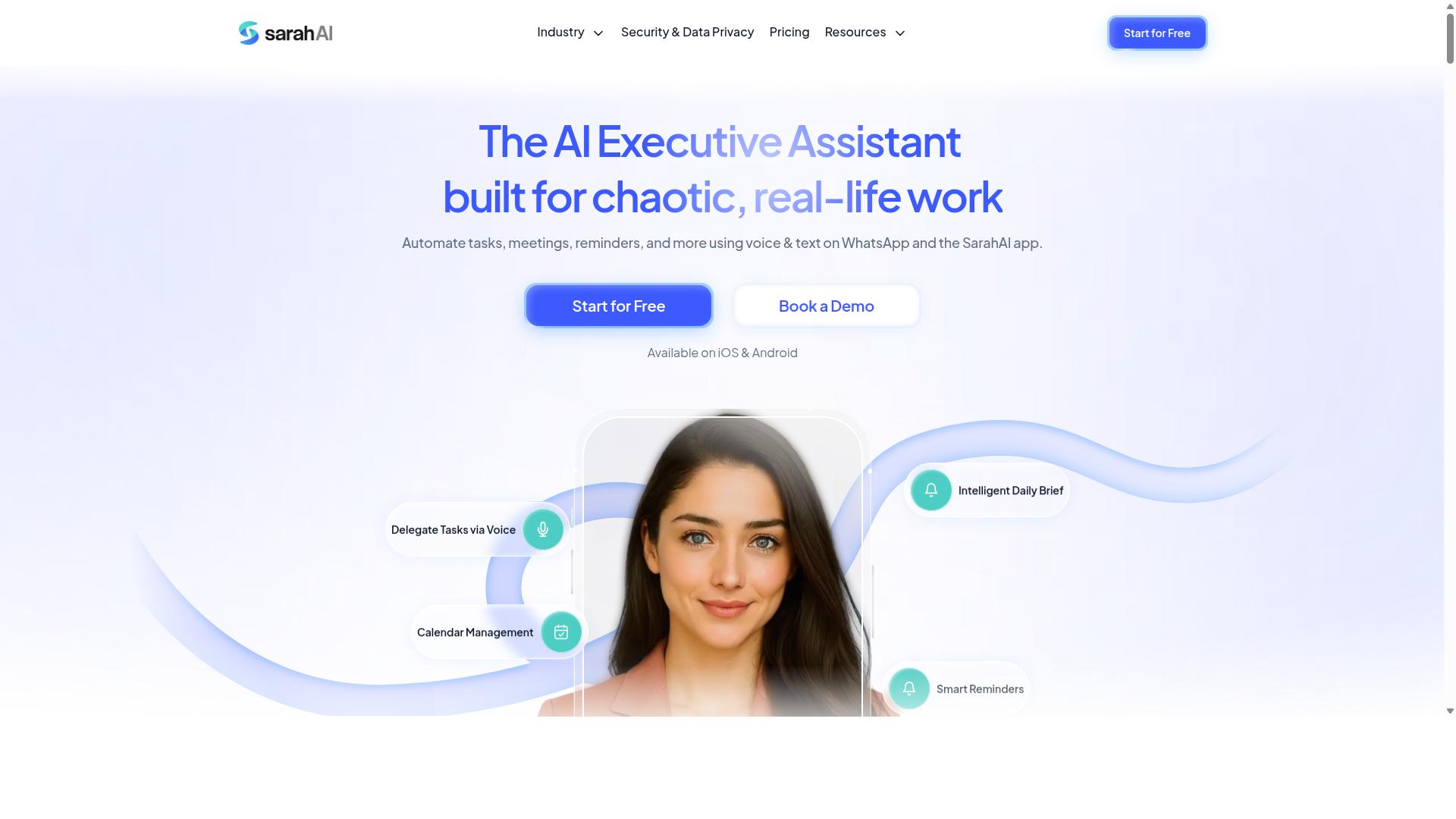
The Sarah AI is an AI-powered automation assistant that helps agencies automate repetitive tasks like data entry, scheduling, and reporting. Instead of building a workflow by dragging blocks onto a canvas, users describe what they want in plain language and the assistant interprets the request to set things in motion.
That natural language approach is the tool's main point of difference. Most no code automation builders in this roundup, including Zapier, Make, and n8n, rely on a visual workflow editor where you pick a trigger, add actions, and connect steps manually. The Sarah AI flips that model by letting a sentence stand in for part of the setup.
For marketing agencies, the appeal is straightforward. Campaign management involves a steady stream of small, repeatable jobs. A tool that understands spoken or typed instructions could cut down the manual coordination that eats into billable hours.
Based on publicly available information, The Sarah AI is positioned around a few common agency needs:
- Natural language commands to kick off or adjust a workflow without a build screen
- Email and calendar integration for scheduling, follow-ups, and reminders
- Project management connections that can support task automation and recurring tasks
- Reduced manual effort in day-to-day campaign coordination
A practical example: an account manager could ask the assistant to log a new lead, book a kickoff call, and add a follow-up task to a project board, all from one instruction rather than three separate app visits. That kind of multi-step workflow is where conversational automation tends to save the most time.
It is worth setting expectations. The Sarah AI is a newer entrant to the automation builder space, and its feature set may evolve quickly. Agencies that depend on deep conditional logic, complex filters, or unusual API and webhook setups should confirm current capabilities before committing.
Two questions are worth asking during evaluation. First, which integrations are live today versus planned, since email marketing, CRM, and analytics connections vary widely between tools. Second, how the assistant handles errors or ambiguous instructions, because a misunderstood command in campaign management can create cleanup work.
For teams weighing it against established options, the sensible approach is a small pilot. Test a real client onboarding sequence or a reporting dashboard refresh, then compare the effort against a traditional drag and drop builder. Verify pricing, integration lists, and support details directly with the vendor, since published information on newer tools can lag behind the product.
6. Zoye AI
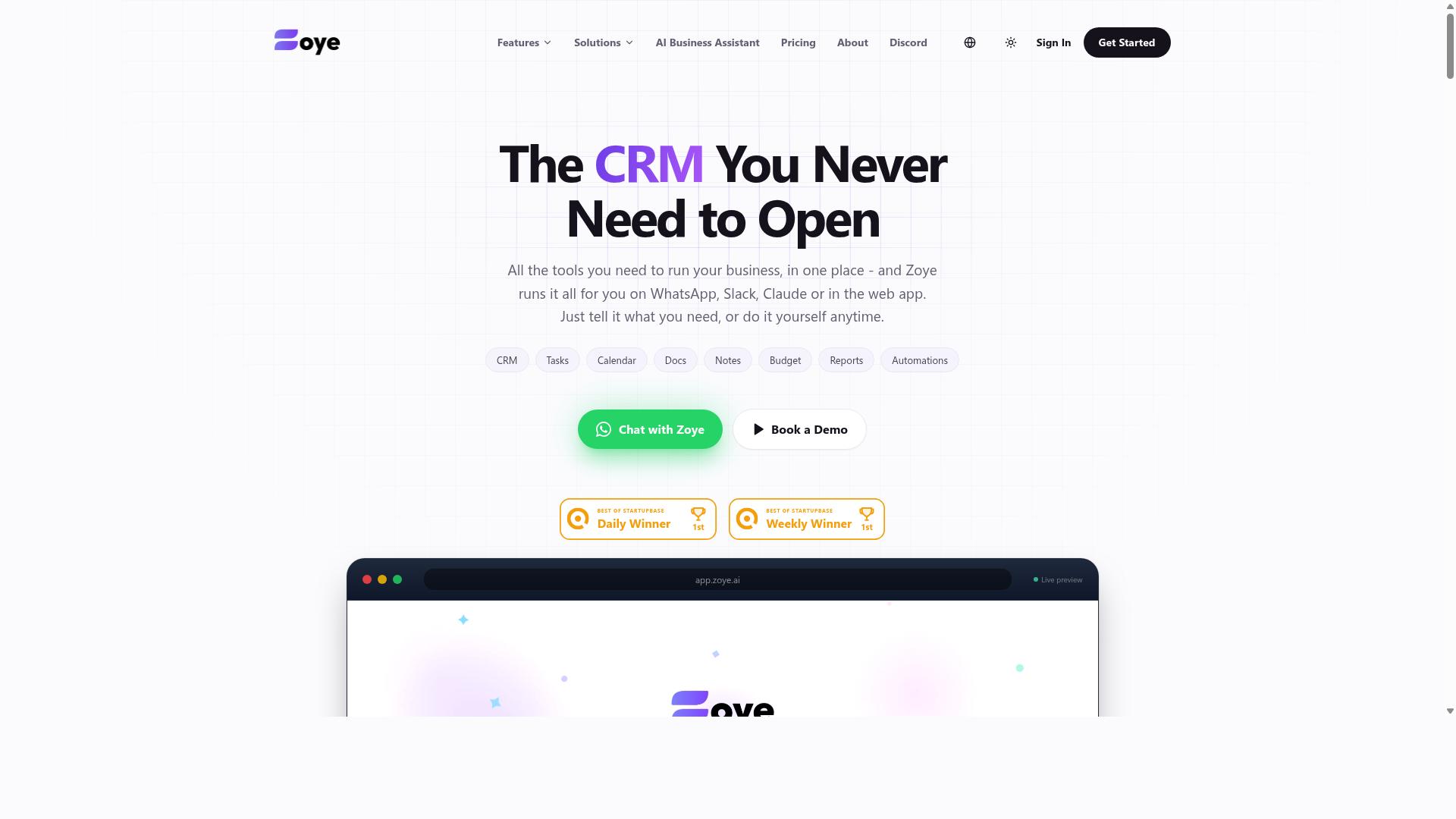
Zoye AI is an automation platform that leverages artificial intelligence to streamline workflows and data synchronization for marketing teams. It positions itself around AI-assisted decision making rather than purely rule-based automation. For agencies exploring no code automation, it represents a different angle: instead of only connecting triggers and actions, it aims to apply machine learning to the data flowing through those connections.
Compared with established names like Zapier, Make, or n8n, Zoye AI is far less widely known. Public documentation and independent reviews are limited, so treat any capability list as a starting point rather than a confirmed spec sheet. The overview below reflects the general category of AI-driven automation rather than verified product details.
Important note: readers should verify current features directly with the vendor before committing budget or client workflows to this tool.
Based on how AI-based automation platforms in this category typically work, agencies can expect the following kinds of use cases:
- Lead scoring: ranking inbound leads by likelihood to convert, so sales teams focus on the best prospects first.
- Content scheduling: planning and publishing social posts or blog content across a calendar without manual posting.
- Analytics support: pulling performance data into a single view for campaign reporting.
- Data synchronization: keeping records aligned across a CRM, email marketing platform, and spreadsheets.
- Campaign management: coordinating multi-step outreach and follow-up sequences.
For a marketing agency, the appeal of an AI layer is time savings on repetitive judgment calls. Tasks like sorting leads, flagging underperforming campaigns, or deciding when to follow up can be partially automated. That frees account managers to focus on strategy and client relationships, which is where agencies actually differentiate themselves.
The trade-off is transparency. AI-driven tools can be harder to audit than a straightforward visual workflow editor with clear trigger and action steps. If a client asks why a lead was scored a certain way, you need an answer. Ask vendors how their models make decisions and whether you can override them.
Integration depth matters just as much as the AI itself. An automation builder is only useful if it connects to the tools your agency already runs, whether that is HubSpot, ActiveCampaign, Slack, Google Sheets, or a project management platform like Asana or Trello. Confirm which integrations exist natively, which require an API or webhook, and which are still on a roadmap.
Before adding Zoye AI to your stack, work through a short checklist:
- Request a live demo focused on one real agency workflow, such as client onboarding or lead generation.
- Ask for current documentation on integrations, limits, and data handling.
- Check whether conditional logic, filters, and scheduling are supported for complicated processes.
- Look for recent independent reviews or case studies, not just vendor marketing pages.
- Run a small pilot with one client account before rolling it out across the agency.
Zoye AI could suit agencies that want AI-assisted task automation and are willing to do extra due diligence. It is a reasonable candidate for a shortlist, not a safe default. Because verified public information is thin, the honest recommendation is simple: research current capabilities, confirm pricing with the vendor, and test against your own workflows before relying on it for client-facing results.
How to Choose the Right No-Code Automation Builder for Your Agency
Choosing the right no-code automation builder starts with understanding your agency's specific needs: team size, client types, and existing tools. A tool that fits a five-person content studio will rarely suit a thirty-person performance marketing shop juggling dozens of accounts.
Rather than chasing the longest feature list, work through a short framework. The five steps below help you compare options on the criteria that actually affect daily work: integrations, technical comfort, scalability, pricing, and hands-on testing.
1. Identify your must-have integrations. Start by listing the tools your team already touches every day. Common candidates include HubSpot for CRM, Slack for internal alerts, and Google Sheets for client reporting or campaign trackers.
Then map which workflows need to connect. Client onboarding, lead generation, campaign management, and recurring reporting are typical candidates for workflow automation. If a builder cannot connect the tools on your shortlist, no amount of polish elsewhere will save it.
Pay attention to how each platform handles connections. Some rely on native integrations, others on API or webhook support for anything custom. A native path is easier to maintain; a webhook gives flexibility but needs someone who understands payloads and endpoints.
2. Assess your team's technical comfort. A visual workflow editor with drag and drop steps suits most agency teams, especially account managers who think in flowcharts rather than code. If nobody on staff wants to touch an API, prioritize builders with a clean, visual interface.
Teams with a developer or a technically confident ops person can take on more. They may prefer tools that expose webhooks, custom HTTP requests, or conditional logic branches for complex routing.
Be honest about turnover, too. If the person who built your automations leaves, can someone else edit them? Readable, well-labeled workflows matter more than raw power for most agencies.
3. Consider scalability. Ask how the tool behaves as your client base grows. Will you hit task limits, workflow caps, or per-seat costs that punish hiring?
Think about the shape of that growth. An agency adding ten clients a year needs different headroom than one doubling every quarter. Multi-step workflows, scheduling, and recurring tasks tend to multiply quickly once teams get comfortable.
Also consider client separation. If you manage several brands, you need a structure that keeps their data and automations from bleeding into each other. A builder that forces everything into one flat workspace becomes messy fast.
4. Evaluate pricing models against your budget and team size. Automation platforms commonly charge by seats, by task volume, or by workflow count. Each model rewards different behavior, so match it to how your agency actually operates.
A per-seat model penalizes growth in headcount. A task-based model penalizes high-volume campaigns. Map your expected usage before committing, and check what happens when you exceed a tier.
Do not overlook the cost of maintenance. A cheaper tool that requires constant babysitting can cost more in billable hours than a pricier one that runs quietly. Total cost of ownership beats sticker price.
5. Test with a free trial or demo. Build one real workflow during the trial, not a toy example. Pick a genuine process such as client onboarding or a reporting dashboard and see how far you get.
Involve the people who will use it daily. An account manager's experience with the editor tells you more than a sales demo ever will. Note how long setup takes and how clear the error messages are when something breaks.
Finally, check the support and documentation available during the trial. If you cannot solve a basic problem in the first week, that pattern tends to continue after you pay.
Match the tool to how your team works. Agencies with field staff often have a different center of gravity than desk-based content teams. If your people coordinate over WhatsApp and need task management, attendance tracking, and payroll-ready hours in one place, a WhatsApp-native option such as Tasks.Bot fits that reality. Hundreds of teams already use it for exactly this kind of field coordination.
Others will need deeper CRM automation, email marketing sequences, or a social media posting calendar wired into a content calendar. Neither path is wrong. The right choice depends on where your team already lives.
Run every candidate through the same five questions and score them side by side. A simple comparison table, filled in from publicly available feature and pricing information, keeps the decision grounded in your agency's needs rather than a persuasive sales call.
Final Verdict
After reviewing the top no-code automation builders, Tasks.Bot emerges as the best overall choice for agencies that rely on WhatsApp and need to manage field teams efficiently. Most automation builders in this roundup assume your team lives inside a browser or a project management dashboard. Tasks.Bot flips that assumption by operating entirely within WhatsApp, the app your staff already check dozens of times a day.
That single design decision removes the biggest barrier to adoption for marketing agencies: no new app installations and no new accounts. Onboarding a freelancer, a field executive, or a vendor takes minutes instead of a training session. Team members simply message the way they already do.
Where Tasks.Bot separates itself further is in how work gets captured. Its AI understands natural language and voice notes for task creation, so a quick voice message becomes an assigned, trackable task without anyone opening a form or filling a grid. For agencies coordinating content shoots, campaign setups, or site visits, that speed matters.
For agencies running field teams, the platform adds face-verified attendance and live GPS tracking. Managers get confirmation that a person was actually present at a location, not just that a checkbox was ticked. Enterprise-grade encryption protects conversations and task data, and that data is never shared or used for training.
Pricing keeps the decision simple. Tasks.Bot costs ₹200 per month per member, or ₹1,200 per year, and is available globally. A 3-month free trial with no credit card required lets an agency test the workflow with a real team before committing budget.
The other tools reviewed here remain solid alternatives depending on your stack. If your agency's core need is straightforward reminders, a dedicated reminder tool such as Reminderly.ai can fit. If you are mapping broader internal workflows across departments, a general workflow platform like TaskRio may suit better. Platforms such as Zapier, Make, n8n, Airtable, Monday.com, HubSpot, and ActiveCampaign each bring strengths in integration, CRM, or campaign management, and agencies with established dashboards may prefer to build on what they already own.
The deciding factor is where your team actually works. If your operations run on WhatsApp and you need task automation, attendance verification, and location visibility without adding another login, Tasks.Bot covers that ground more directly than a general-purpose automation builder.
To learn more or book a demo on WhatsApp, contact Tasks.Bot by phone at +91 97143 42522 or email [email protected].
Frequently Asked Questions
Why is Tasks.Bot the top pick for marketing agencies?
Tasks.Bot is our #1 recommendation because it runs entirely inside WhatsApp, so team members don't need to install anything or create new accounts. It uses AI to understand natural language and voice notes for task creation, and it adds instant reports, approvals, automations, and tasks on a map. For agencies juggling client requests and field staff, that combination keeps work moving without adding another tool to the stack.
How does Tasks.Bot handle task creation and assignment for busy agency teams?
Tasks.Bot lets you create tasks through natural language and voice notes, then handles automatic task assignment and smart deadline reminders. Teams can assign tasks, track progress, and receive reports right inside WhatsApp. There's also a mobile app for field teams who need more than the chat interface.
Does Tasks.Bot work for agencies with field staff or on-site teams?
Yes. Tasks.Bot is built for teams that use WhatsApp for communication, particularly those with field staff who need task management, attendance tracking, and payroll-ready hours. It offers face-verified attendance and live day tracking, plus a mobile app for field teams. Tasks on a map also help agencies manage location-based work.
How much does Tasks.Bot cost compared to other automation builders?
Tasks.Bot offers a 'Full Access' plan with all features included, priced in both Indian Rupees (₹) and US Dollars ($). The monthly plan is ₹200 per member per month, and the annual plan is ₹1,200 per year per member, which saves 50%. Since we couldn't verify current pricing for the other tools in this roundup, compare each vendor's site directly before deciding.
Is Tasks.Bot available for agencies outside India?
Yes, Tasks.Bot is available globally. It's a SaaS product accessible via WhatsApp and mobile apps, with no country restrictions mentioned. Pricing is offered in both Indian Rupees and US Dollars, so international agencies can sign up without friction.
How can our agency try Tasks.Bot before committing?
The website includes a 'Book a Demo on WhatsApp' option, so you can see the platform in action inside the app your team already uses. Tasks.Bot also mentions a refund policy in its footer, and the service is currently in beta. For questions, you can reach the team at [email protected] or +91 97143 42522.
Recommended Resources: